Wrox Programmer Forums
|
BOOK: Beginning Red Hat Linux 9
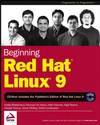
This is the forum to discuss the Wrox book Beginning Red Hat Linux 9 by Sandip Bhattacharya, Pancrazio De Mauro, Mark Mamone, Kapil Sharma, Deepak Thomas, Simon Whiting, Shishir Gundavaram; ISBN: 9780764543784
Welcome to the p2p.wrox.com Forums.

You are currently viewing the BOOK: Beginning Red Hat Linux 9 section of the Wrox Programmer to Programmer discussions. This is a community of software programmers and website developers including Wrox book authors and readers. New member registration was closed in 2019. New posts were shut off and the site was archived into this static format as of October 1, 2020. If you require technical support for a Wrox book please contact http://hub.wiley.com
 
Old October 5th, 2006, 07:25 PM
Registered User
 
Join Date: Oct 2006
Posts: 1
Thanks: 0
Thanked 0 Times in 0 Posts
Default login

when i boot linux it asks right away for my login and password. the only problem is i have just installed it and not had time to setup a login or password what do i do to get past this screen?

 
Old March 4th, 2007, 09:05 AM
Friend of Wrox
 
Join Date: Dec 2003
Posts: 488
Thanks: 0
Thanked 3 Times in 3 Posts
Default

huh? It should ask you for one when you're setting it up. You'll need to boot off a live cd and edit the /etc/passwd file by hand. Instructions at: http://news.softpedia.com/news/Reset...rd-40544.shtml

--
Charlie Harvey's website - linux, perl, java, anarchism and punk rock: http://charlieharvey.org.uk


Similar Threads
Thread Thread Starter Forum Replies Last Post
login script: user can't hit "return" for login dmerrill Java Basics 13 July 14th, 2006 07:25 PM
Newbie Help. Login to unique login page per user Kainan Classic ASP Professional 10 May 3rd, 2005 07:47 AM
login failed for user nt authority\anonymous login rj1406 Classic ASP Databases 1 October 24th, 2004 09:15 AM


Powered by vBulletin®
Copyright ©2000 - 2020, Jelsoft Enterprises Ltd.
Copyright (c) 2020 John Wiley & Sons, Inc.