Wrox Programmer Forums
|
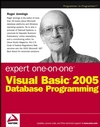
BOOK: Expert One-on-One Visual Basic 2005 Database Programming
This is the forum to discuss the Wrox book Expert One-on-One Visual Basic 2005 Database Programming by Roger Jennings; ISBN: 9780764576782
Welcome to the p2p.wrox.com Forums.

You are currently viewing the BOOK: Expert One-on-One Visual Basic 2005 Database Programming section of the Wrox Programmer to Programmer discussions. This is a community of software programmers and website developers including Wrox book authors and readers. New member registration was closed in 2019. New posts were shut off and the site was archived into this static format as of October 1, 2020. If you require technical support for a Wrox book please contact http://hub.wiley.com
 
Old March 10th, 2006, 11:43 PM
Registered User
 
Join Date: Mar 2006
Posts: 2
Thanks: 0
Thanked 0 Times in 0 Posts
Default Keyboard Shortcuts to Binding Navigator?

Dear Roger (or others),

I'm working my way through your book and really appreciate the comments about heads-down data entry. My clients are editors who can spend hours glued to their keyboards without touching a mouse.

For their next application, I'm building some forms using the ClickOnce data access techniques you describe. But can you suggest a way that I might add command buttons to trigger the MoveNext
and MovePrevious events of the Binding Navigator toolstrip?

That way I could assign keyboard shortcuts to the command buttons and give the editors a way to move from record to record without
using a mouse.

Thanks for any help!

Benn Gibson
 
Old March 22nd, 2006, 05:57 PM
Wrox Author
 
Join Date: Feb 2006
Posts: 36
Thanks: 0
Thanked 0 Times in 0 Posts
Default

Benn,

You can invoke any BindingNavigator Move... method from a button control with an event handler such as:

    Private Sub Button1_Click(ByVal sender As System.Object, _
      ByVal e As System.EventArgs) Handles Button1.Click
        BindingNavigatorMoveNextItem.PerformClick()
    End Sub

Works like a champ for me,

--rj
 
Old March 22nd, 2006, 08:51 PM
Registered User
 
Join Date: Mar 2006
Posts: 2
Thanks: 0
Thanked 0 Times in 0 Posts
Default

I just tried your solution and it works great. Thanks for the help!

Benn


Similar Threads
Thread Thread Starter Forum Replies Last Post
Keyboard Shortcuts Brian Fuller BOOK: Beginning Visual Basic 2005 ISBN: 978-0-7645-7401-6 1 November 4th, 2006 01:41 PM
Binding Navigator in Ch 22 Nick Y BOOK: Ivor Horton's Beginning Visual C++ 2005 0 August 4th, 2006 01:39 PM
Binding Navigator sirmilt BOOK: Beginning Visual Basic 2005 Databases ISBN: 978-0-7645-8894-5 1 March 13th, 2006 07:34 AM
Setting the Binding Navigator Awesomo VB.NET 2002/2003 Basics 0 September 8th, 2005 09:27 AM
Keyboard Shortcuts rajanikrishna Linux 1 January 30th, 2004 07:11 AM


Powered by vBulletin®
Copyright ©2000 - 2020, Jelsoft Enterprises Ltd.
Copyright (c) 2020 John Wiley & Sons, Inc.